
POSTURE & MOVEMENT TRACKER
Your camera roll shows you a photo.
Integration Lab shows you progress.
For posture and movement professionals. Keep each client’s photos and movement videos organized by dated session, compare sessions side by side, and help your clients see and understand their progress.
For iPhone and iPad · Free to use with one client, every feature included
Download on the App StoreTrack before-and-after photos and video, easily
- Keep client records organized — photos, videos, notes, and dated sessions in one place
- Compare across sessions — photos side by side or blended with an adjustable overlay, and movement videos side by side
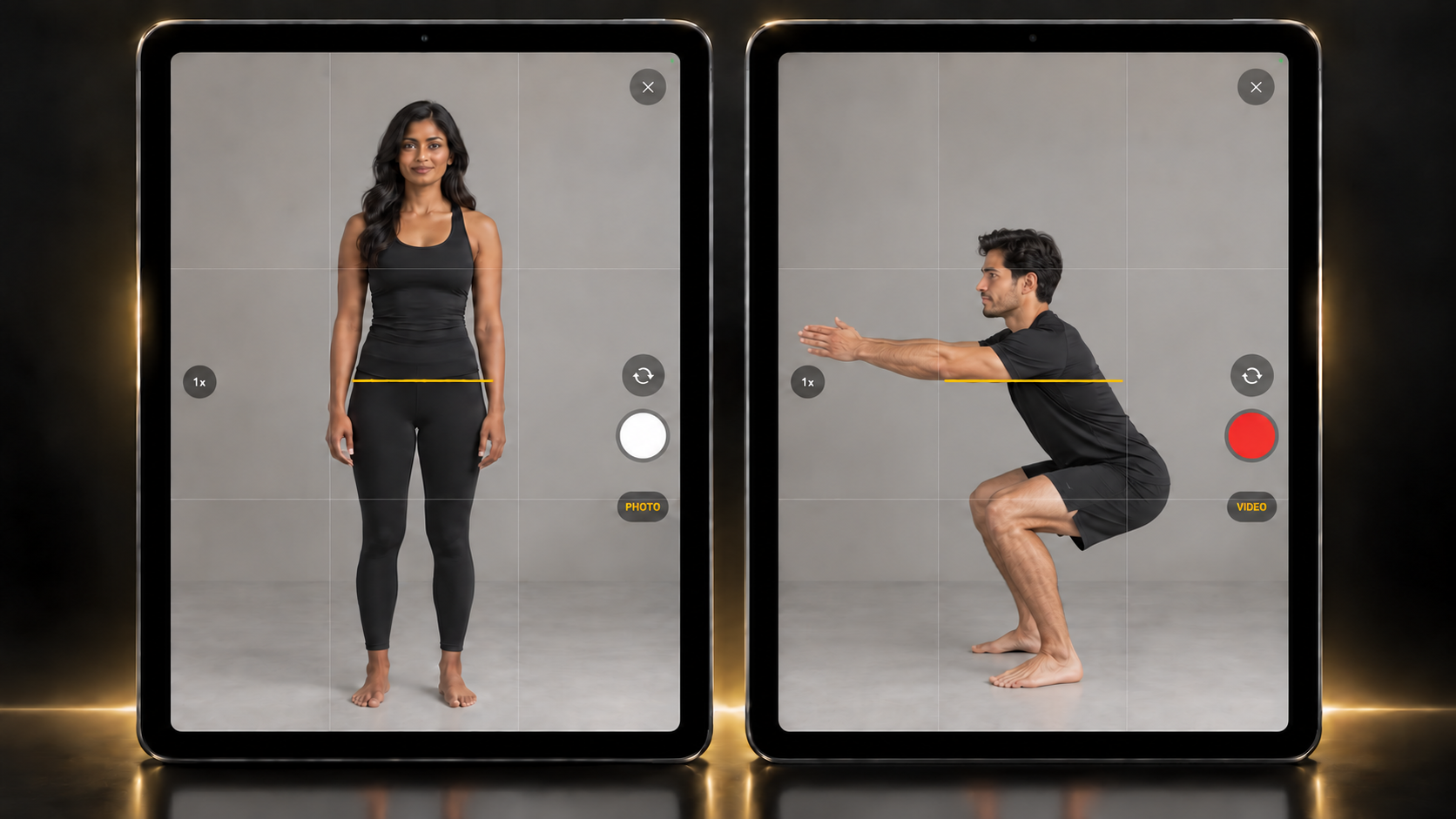
- Support your observations — plumb, level, and freehand reference lines, plus a camera grid and live level for consistent framing
Capture photos and movement with consistency
Built-in grid and level guides help you frame each session consistently.
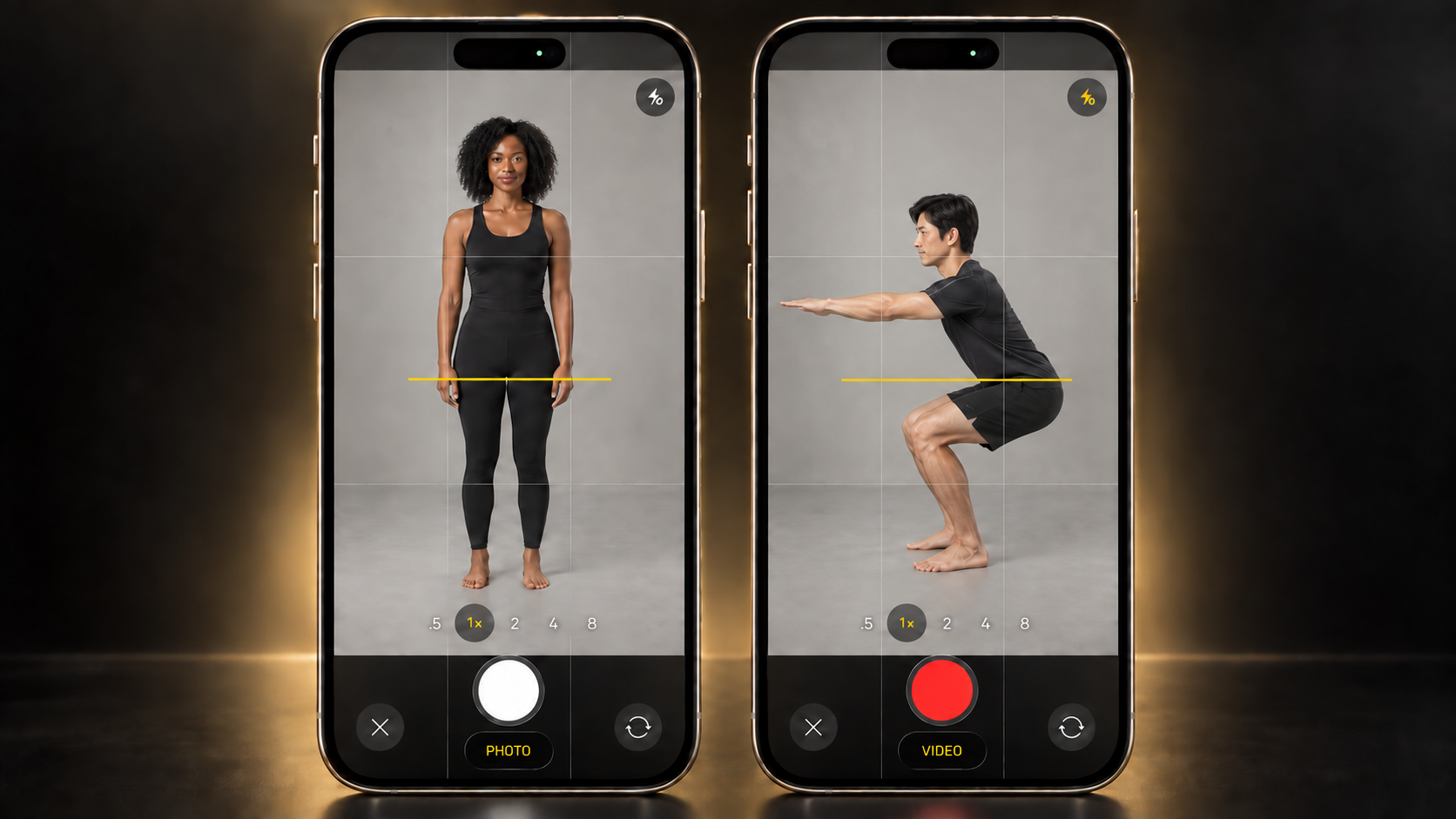
See it in action
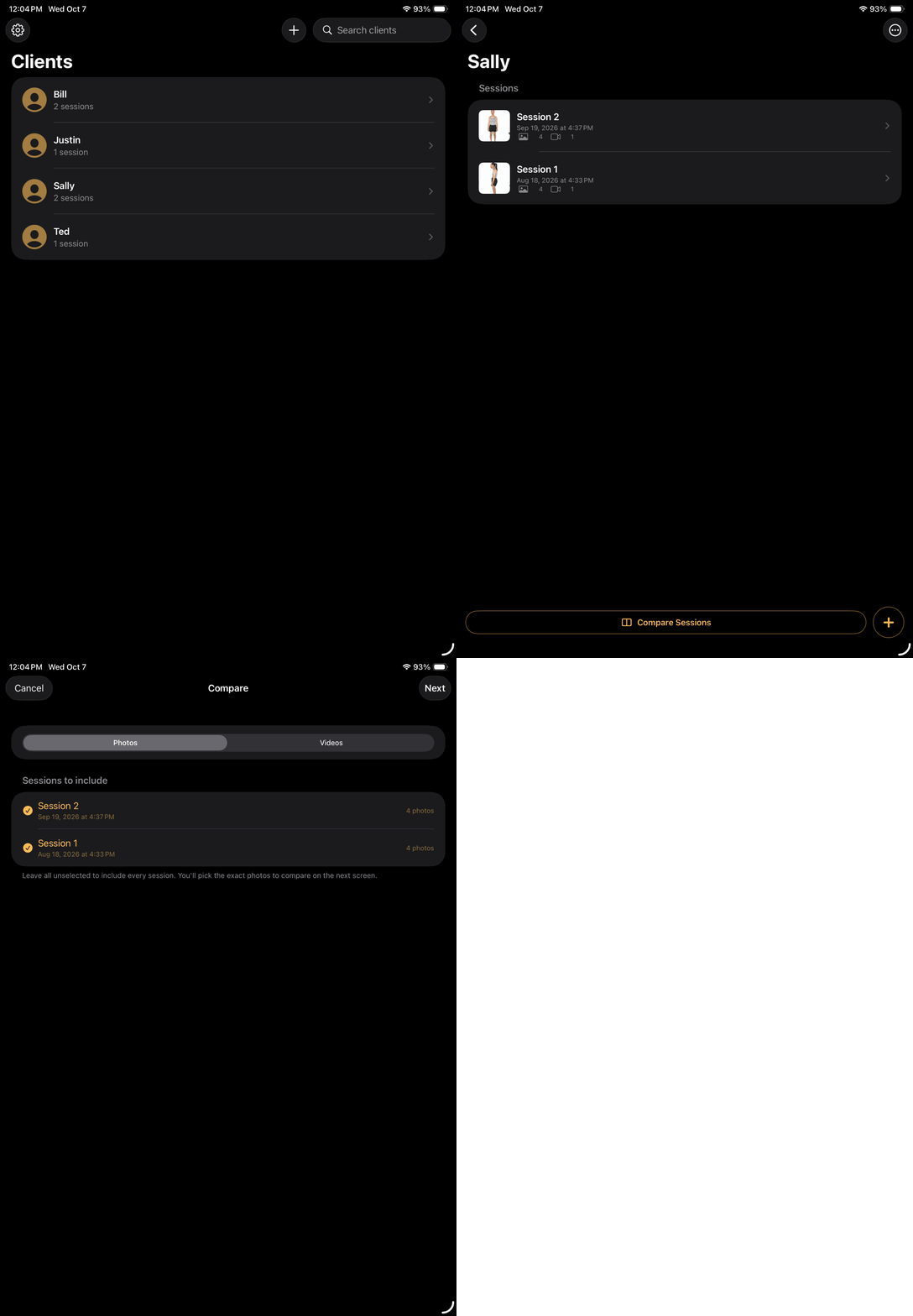
Organized by client and session
Keep each client’s photos and videos grouped into dated sessions, so previous assessments are easy to find and compare.
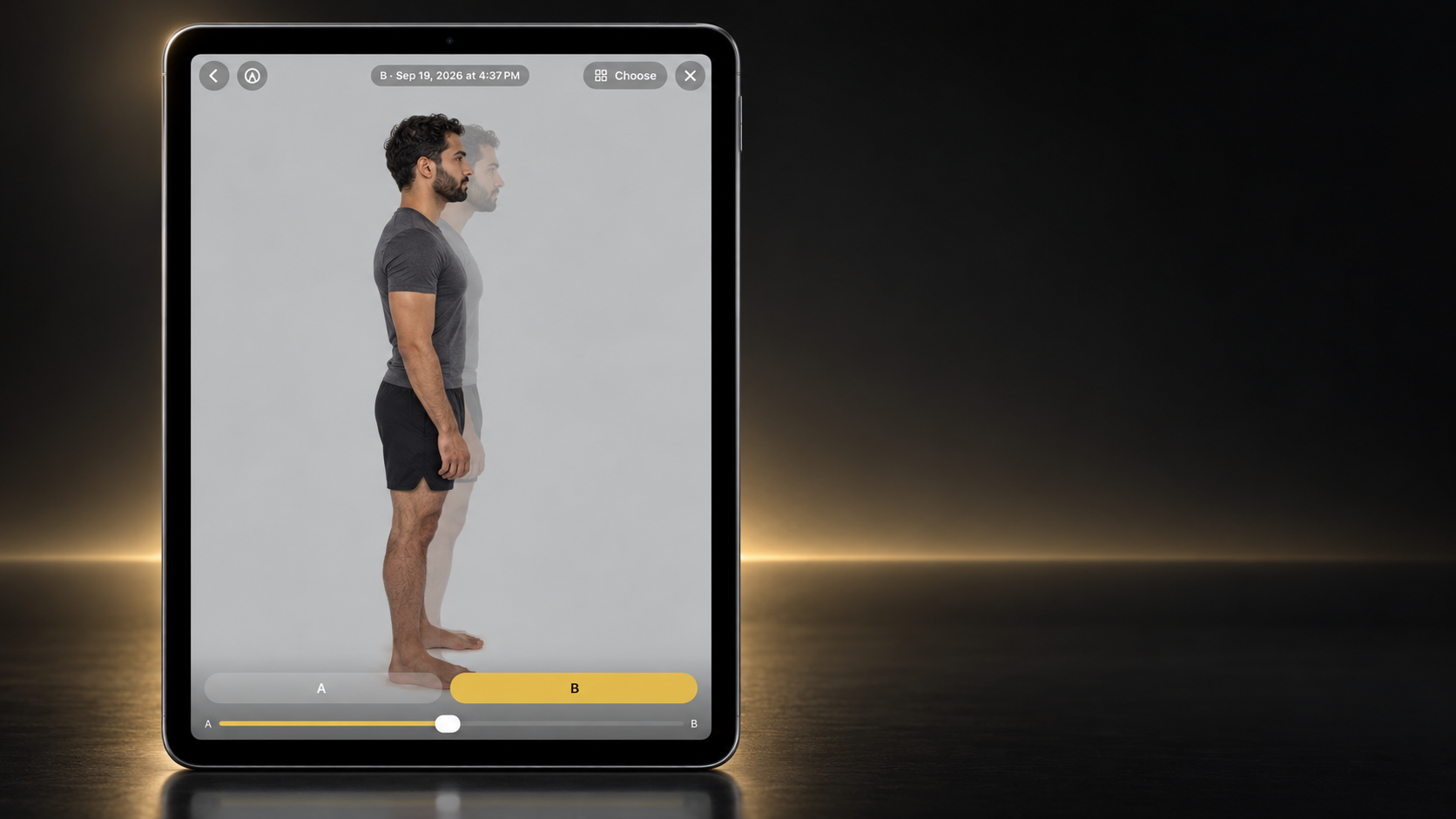
See subtle shifts with an adjustable overlay
Blend two sessions with an adjustable photo overlay (onion skin) to observe differences in position and alignment that can be hard to spot side by side.
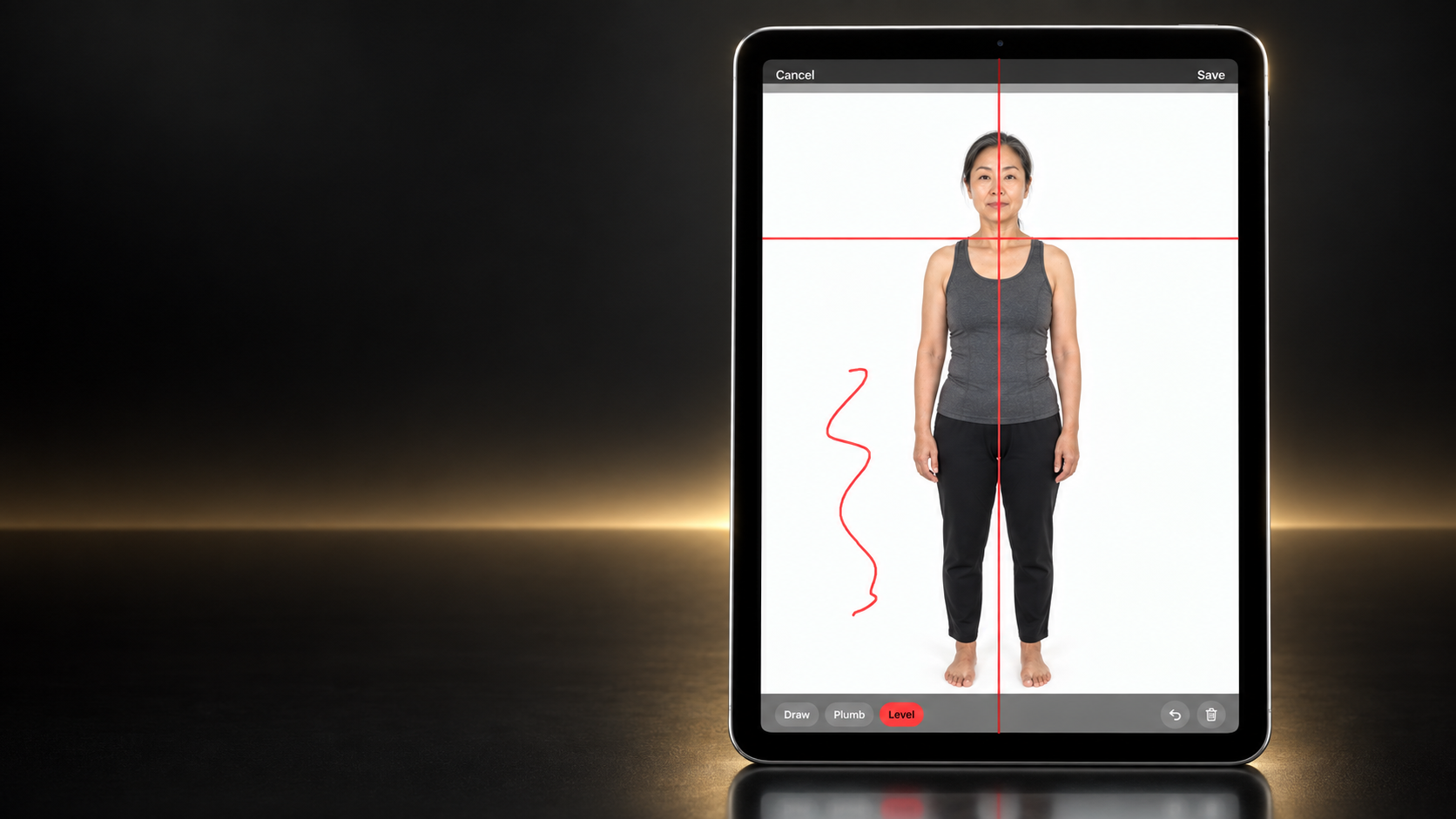
Add visual reference lines
Place plumb, level, and freehand reference lines over a photo without altering the original image.
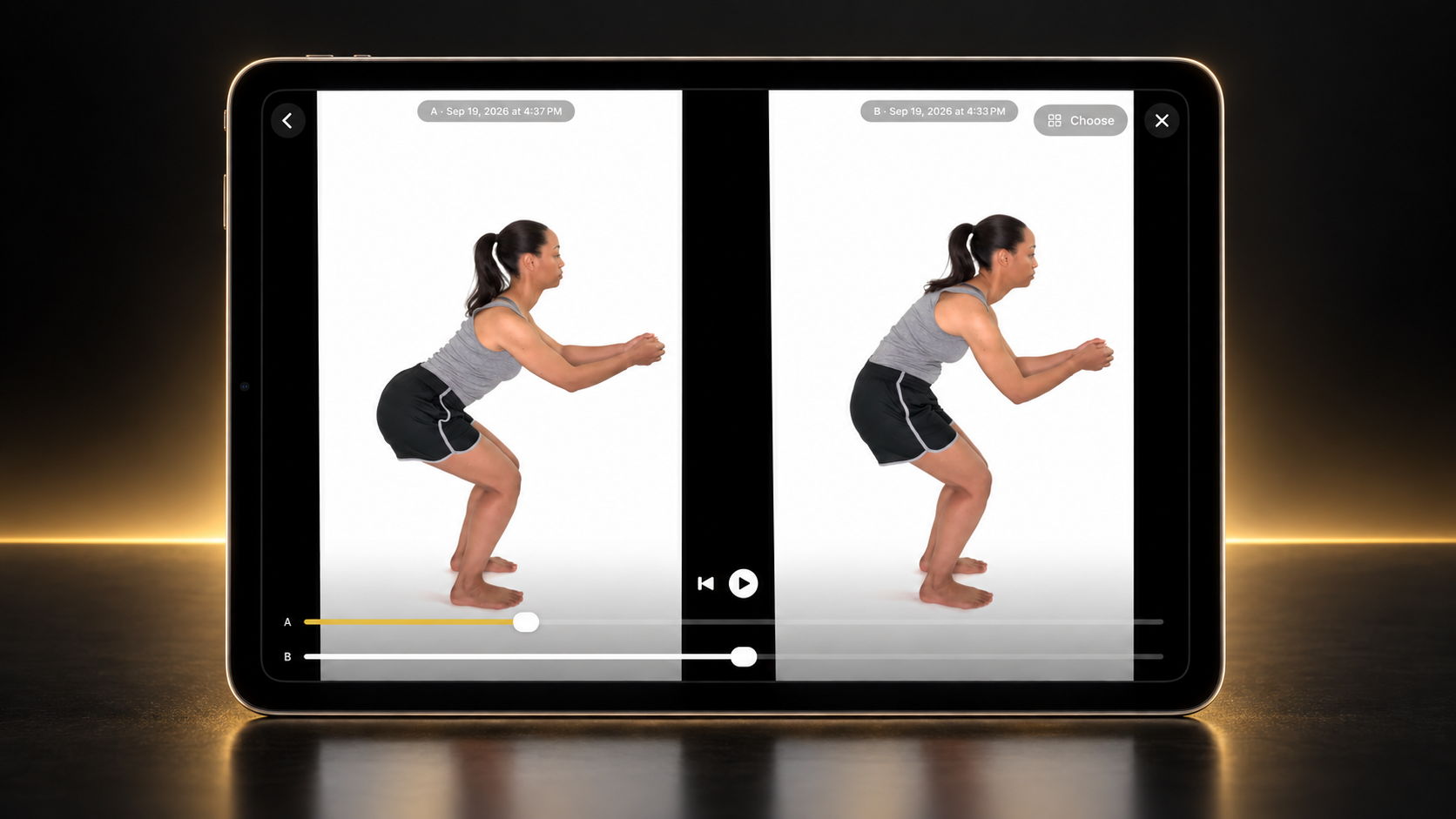
Compare movement side by side
Play two movement clips together and scrub each video independently to compare changes across sessions.
Designed for iPhone and iPad
Capture on the device that fits your session. Turn on optional iCloud sync to keep client records available on both, through your own private iCloud account.
Requires iOS 17 or later.
No AI assessments, by design
Integration Lab does not interpret posture or tell you what you should be seeing. Photos and videos give you and your client a visual record to explore together. Interpretation also draws on movement, sensation, direct observation, and conversation — two-dimensional images don’t tell the whole story. A reference line helps organize what you see; it doesn’t decide what needs to change.
Private by default
Client records stay on your device, protected by Face ID, Touch ID, or your passcode. There’s no separate Integration Lab account, and optional iCloud sync uses your own private iCloud account. Subscriptions are purchased and managed through Apple.
Built for movement & posture professionals
Structural Integration practitioners, massage therapists, physical therapists, chiropractors, Pilates instructors, movement coaches, and personal trainers who want to show clients the progress they’re making — not scroll through a camera roll hoping to find last month’s photo.
Built from clinical practice
Integration Lab was created by Isaac Osborne, a Structural Integration practitioner with more than 30,000 clinical hours and over 20 years of documenting posture and movement in client sessions. He created Body Align Pro in 2014. Integration Lab is its rebuild, made to make documentation, comparison, and client education easier in the middle of a real session.
Get Integration Lab
- Free: one client, every feature included
- Pro: unlimited clients, $19.99/month or $199.99/year
- Free trial: new Pro subscribers get 7 days before the first charge
If Pro ends, everything you recorded stays viewable and exportable. Adding new sessions needs Pro while you have more than one client.
Questions? Get in touch · Privacy Policy
Download on the App Store